

Migrating from Magento 1 to Magento 2 is complex, but a clear checklist simplifies the process.
This blog provides essential points to consider for migrating your old Magento 1 store to Magento 2 with the right backup data plans, themes, extensions, and custom code, helping you execute a smooth transition with minimal downtime and data loss.
Important Considerations When Migrating Magento 1 to Magento 2
Keep in mind these 10 key pointers while migrating from Magento 1 to 2. While migrating is a challenge, be patient with the process; a simple migration can take up to 6 to 10 weeks, depending on the size of your store.
During this time, you must aim to cover the core fundamentals that help to lay the foundation of your store and then gradually build your new Magento 2 store.
1. Magento 2 Migration Challenges & Issues
Migration from Magento 1 to Magento 2 often involves compatibility challenges, data loss risks, performance optimization issues, and complexity with the new architecture.
A well-defined project plan is the foundation of a smooth migration. Start by auditing your current Magento 1 store to identify all themes, extensions, custom functionalities, and third-party integrations. This inventory is critical for determining what can be migrated, what needs to be rebuilt, and what can be discarded.
The common Magento 2 migration mistakes that we have noticed are related to not using a proper theme, adding unnecessary data to the new store, adding incompatible extensions, and a lack of testing.
So, plan properly to handle any mishaps that might happen in this process.
2. Backup and Rollback Strategy
Before starting the migration, create a full backup of your Magento 1 store, including all files and the database. A rollback strategy is crucial in case something goes wrong during the migration.
The most common tool for your store backup is mysqldump. You can run a command to get your entire backup in a single SQL file. If during the migration the process fails, you can switch to a DNS record to restore your system files.
This allows you to quickly revert to the old store and minimize downtime, protecting your business from potential revenue loss and reputational damage.
It’s better to stay safe than lose your store data forever.
3. Server and Infrastructure Requirements
Magento 2 presents more rigid technical demands compared to Magento 1.
You must verify that your server infrastructure can support the heightened load and enhanced performance of Magento 2. The essential requirements during this process are:
- Specific PHP version (7.4 or newer)
- Compatible MySQL version
- Elasticsearch or OpenSearch
- More RAM and CPU cores than a typical Magento 1 installation.
- Dedicated or cloud hosting
These help to optimize your store for better speed, stability, and scalability. Utilizing caching technologies like Varnish Cache and Redis, you can see a crucial boost in your performance.
4. Data Cleanup and Optimization
The migration process is a perfect opportunity to clean up your data and optimize your store. Don’t just migrate all your old data blindly. This can carry over existing problems and bloat your new database. Focus on migrating only the essential customer and order history.
Clean up your product catalog by removing out-of-stock, discontinued, or duplicate products. Eliminate old, unused data like abandoned carts, logs, and outdated information.
The Magento 2 database structure differs from previous versions, so migration tools need careful handling to maintain data integrity. An optimized database leads to a faster, more efficient store and supports future growth.
If you’re still on the fence, plan first to make your Magento 2 migration worth your effort.
5. Data and Media Migration
This is the main process of your migration. Don’t rush this process and do it using the right tools.
Start with a Data Migration Tool; you can transfer your core data into the new store, but it is important to understand that the tool does not migrate certain types of data.
- The tool migrates products, customers, and orders
- Themes, extensions, and custom codes will not be migrated
- Media data will need to be migrated manually
This section applies to you only if you store media files in the Magento database. This step should be performed before the migration of data:
- Log in to the Magento 1 Admin Panel as an administrator.
- Click System > Configuration > ADVANCED > System.
- In the right pane, scroll to Storage Configuration for Media.
- From the Select Media Database list, click the name of your media storage database.
- Click Synchronize.
If the media files aren’t in the database but are in the system, you need to move them manually from the old directory to the media directory of Magento 2.
Additionally, all historical orders and invoices must be migrated, along with store data like configurations, URLs, and settings.
6. Storefront Theme and Design
Magento 1 themes are not compatible with Magento 2, meaning you will need to redesign or buy a new Magento 2 theme.
The theme structure for Magento 1 and Magento 2 is completely different. There is a shift from Prototype.js to RequireJS with a completely different XML layout. While the default Magento 1 theme is called default, Magento 2 uses a completely different default theme called Luma.
The Magento 2 themes have a better code structure, performance, and are responsive on different devices, unlike the Magento 1 themes. Making it essential for you to pick a new theme that works well with your new store.
If you are comfortable with coding, you can design a new theme, but it’s better to use the free Magento 2 themes that you can download and directly use in your new store.
7. Extensions and Custom Code
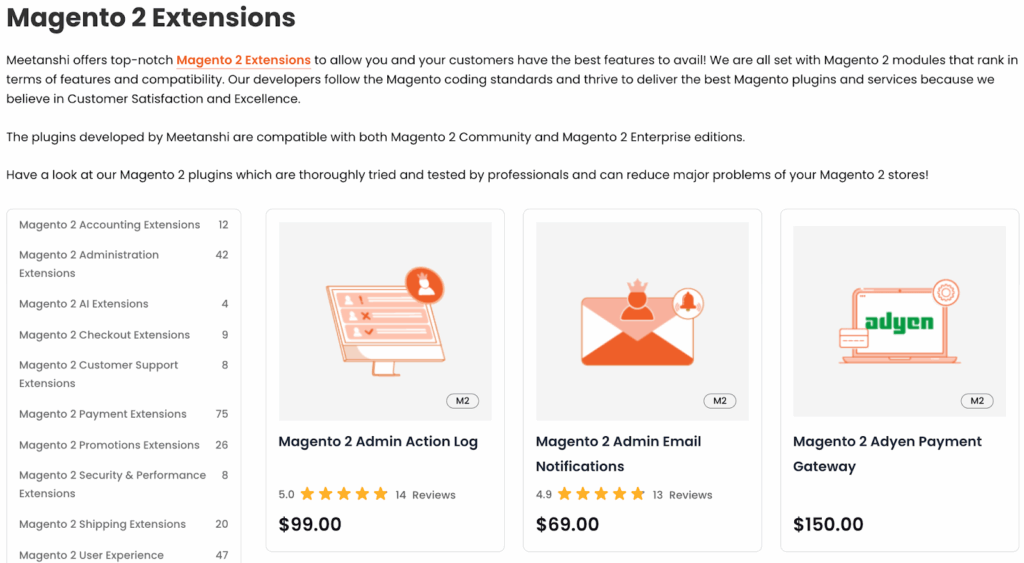
Magento 1 extensions typically do not work in Magento 2, requiring replacements or custom redevelopment.
Evaluate your current extensions for Magento 2 alternatives. If legacy modules offer unique features, plan for custom coding. This stage requires thorough testing and debugging to ensure compatibility and functionality.
It is always better to work with third-party extension providers like Meetanshi since they completely take care of the coding requirements; you only need to integrate it into your store using simple navigation.
8. SEO Considerations
It is recommended to have a proper checklist before starting your migration, as immediately after your data is moved, you can implement the SEO changes.
The most common issue you might face is a 404 error. This happens when you have not set a 301 redirect for your users and search engines. They will keep landing on your older store URL.
This makes it imperative to preserve URL structures, metadata(title and meta description), and redirects during migration to avoid losing search engine rankings. A well-planned SEO strategy, including:
- 301 redirects
- Correct meta tag migration,
- A logical, crawlable site structure (sitemap)
Magento 2 offers improved SEO benefits, but misconfiguration can harm visibility, so monitor indexing and SEO impact of Magento after the migration.
9. Testing and Post-Migration Tasks
Thorough testing is a non-negotiable step. Magento 2 store development experts like Meetanshi heavily emphasize that testing involves every aspect of the site, including its functionality, such as checkout, customer registration, and product filtering, to ensure they are working correctly.
Post-migration, verify performance, page load speeds, and site efficiency. Test all third-party integrations, like payment gateways and shipping. Continuously monitor for issues or performance drops.
This way, you will be able to avoid any bad store interactions and have a smooth shopping experience.
10. Expert Assistance and Tools
Due to the complexity of the migration, it is highly recommended to seek help from certified Magento developers or a specialized migration service. While it may seem like an investment, they can avoid the damage that your store can face due to a poor migration performance.
They have the expertise to handle technical challenges and ensure a smooth transition. Additionally, using official data migration tools and third-party extensions to automate parts of the process reduces manual work and the risk of errors.
The above-mentioned pointers help you plan a switch to a newer version of Magento. Since June 2020, Magento has officially stopped support for the Magento 1 version. The move to a new version is a must to run a successful e-commerce business in this competitive environment.
Sticking to Magento 1 will slow your growth and make it difficult to run your store during times of challenges when there is no official support. You will have to rely on community pages or developers for help from time to time.
Go Beyond the Technical Challenges
Magento 1 to Magento 2 migration is more than overcoming technical hurdles; it’s about building a secure and future-ready store.
If you are well-versed with the technicalities of Magento 1 and 2, you can use the above-discussed checklist to help you prepare for a seamless transition. But, if technicality is not your strong suit, it is important to opt for a Magento developer service.
Contact us for every step of migration, from planning and execution to performance optimization, so you get a successful Magento 2 store without disruption.


2 Comments
Great guide with important information! Thanks for sharing that!
I think the most important in Magento migration is the company you work with. As we all know that Magento migration can feel like putting together a jigsaw puzzle with a million pieces, but it’s actually not all the hard if you have an experienced team.
Great Article with very important factors, Magento 2 upgrade its not an easy job there are some consequences while data migration. But with the help of a professional development team, you can achieve that.